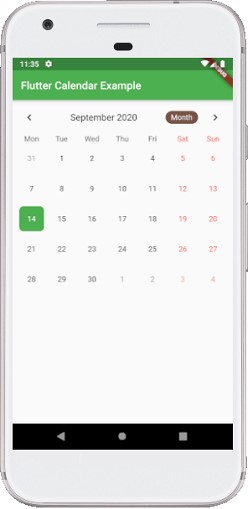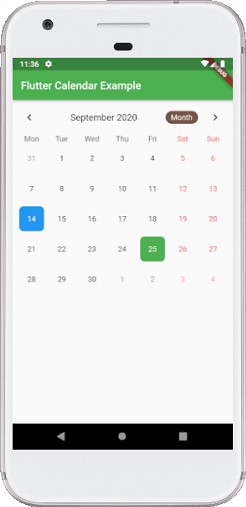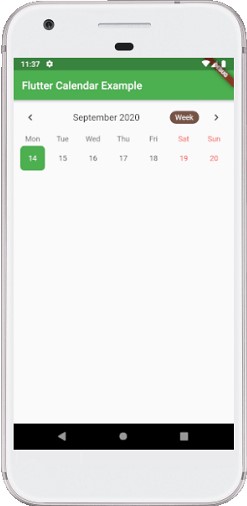
Flutter Calendar
There are various packages in flutter to show a calendar on of these is table_calendar which we will use. Let’s Discuss some features of it:
- Easy to use API.
- Provides Custom Builders for control on UI.
- Vertical auto-sizing.
- Provides beautiful animations.
- Provides gesture handling.
- Provides multiple calendar options some of them are month, weak, year, etc.
Let see an example which will help us use this package.
First add the dependencies in package.yaml
dependencies:
  flutter:
    sdk: flutter
  table_calendar: ^2.1.0
On console write
flutter pub get
Write this code in the main.dart file
import 'package:flutter/material.dart';
import 'package:table_calendar/table_calendar.dart';

void main() => runApp(MyApp());

class MyApp extends StatelessWidget {
  @override
  Widget build(BuildContext context) {
    return MaterialApp(
      theme: ThemeData(
        primarySwatch: Colors.green,
      ),
      home: HomeCalendarPage(),
    );
  }
}

class HomeCalendarPage extends StatefulWidget {
  @override
  _HomeCalendarPageState createState() => _HomeCalendarPageState();
}

class _HomeCalendarPageState extends State {
  CalendarController _controller;

  @override
  void initState() {
    super.initState();
    _controller = CalendarController();
  }

  @override
  Widget build(BuildContext context) {
    return Scaffold(
      appBar: AppBar(
        title: Text('Flutter Calendar Example'),
      ),
      body: SingleChildScrollView(
        child: Column(
          crossAxisAlignment: CrossAxisAlignment.start,
          children: [
            TableCalendar(
              initialCalendarFormat: CalendarFormat.month,
              calendarStyle: CalendarStyle(
                  todayColor: Colors.blue,
                  selectedColor: Theme.of(context).primaryColor,
                  todayStyle: TextStyle(
                      fontWeight: FontWeight.bold,
                      fontSize: 22.0,
                      color: Colors.white)
              ),
              headerStyle: HeaderStyle(
                centerHeaderTitle: true,
                formatButtonDecoration: BoxDecoration(
                  color: Colors.brown,
                  borderRadius: BorderRadius.circular(22.0),
                ),
                formatButtonTextStyle: TextStyle(color: Colors.white),
                formatButtonShowsNext: false,
              ),
              startingDayOfWeek: StartingDayOfWeek.monday,
              onDaySelected: (date, events) {
                print(date.toUtc());
              },
              builders: CalendarBuilders(
                selectedDayBuilder: (context, date, events) => Container(
                    margin: const EdgeInsets.all(5.0),
                    alignment: Alignment.center,
                    decoration: BoxDecoration(
                        color: Theme.of(context).primaryColor,
                        borderRadius: BorderRadius.circular(8.0)),
                    child: Text(
                      date.day.toString(),
                      style: TextStyle(color: Colors.white),
                    )),
                todayDayBuilder: (context, date, events) => Container(
                    margin: const EdgeInsets.all(5.0),
                    alignment: Alignment.center,
                    decoration: BoxDecoration(
                        color: Colors.blue,
                        borderRadius: BorderRadius.circular(8.0)),
                    child: Text(
                      date.day.toString(),
                      style: TextStyle(color: Colors.white),
                    )),
              ),
              calendarController: _controller,
            )
          ],
        ),
      ),
    );
  }
}
Output